HEXT — Text to ASCII Banner Generator

HEXT 2.0 Text to ASCII Banner Generator

HEXT 2.0 Text to ASCII Banner Generator

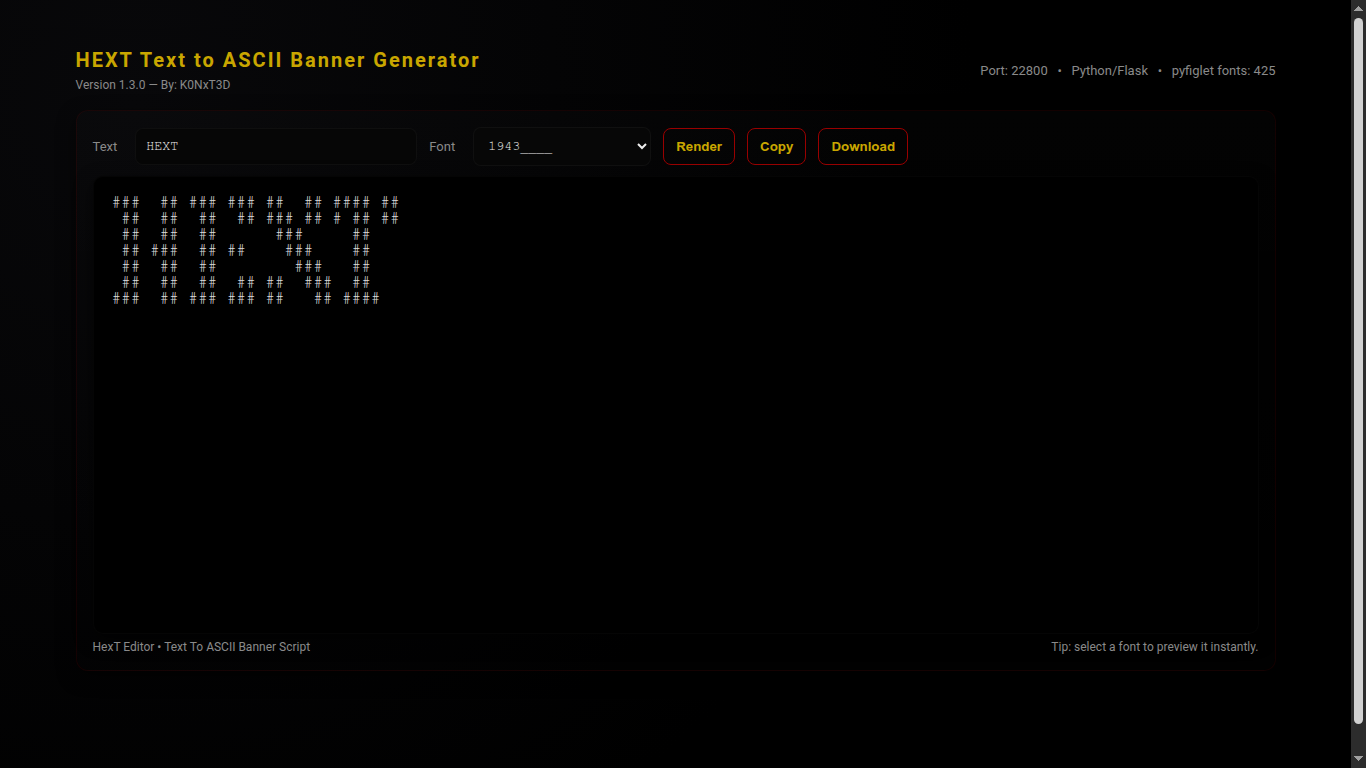
HEXT 2.0 Text to ASCII Banner Generator is a Python3 web application that converts text into ASCII banners using pyfiglet.
It features a modern, dark aesthetic interface with live font selection, copy and download functionality, and full-screen previews.

Version Information

Version: 2.0
Author: K0NxT3D
Website: seaverns.com

Download

Core Features

🖋 Text to ASCII

  • Render text using any installed pyfiglet font
  • Live preview with instant updates
  • Copy to clipboard or download as .txt

🎨 Font Selection

  • Dropdown menu for all available pyfiglet fonts
  • Sidebar font reference panel
  • Dynamic highlighting of selected font

💻 Web Interface

  • Dark hacker aesthetic layout
  • Responsive design for desktop and mobile
  • Clean two-column layout with sidebar

Requirements

  • Python 3.12+ (tested on Ubuntu 24 & Raspberry Pi)
  • pip3 installed

Python Packages

  • Flask ≥ 2.3.2
  • pyfiglet ≥ 0.8.post1

Installation

cd HEXT

python3 -m venv venv
source venv/bin/activate

pip install -r requirements.txt
python3 hext.py

Usage

1) Launch Application

python3 hext.py

2) Open in Browser

http://127.0.0.1:22800/

3) Enter Text & Render

- Type text into the input field
- Select a font from the dropdown
- Click "Render"

4) Copy / Download

- Click "Copy" to clipboard
- Click "Download" to save .txt file

License

MIT License

Copyright (c) 2025 Rob Seaverns

Permission is hereby granted, free of charge, to any person obtaining a copy
of this software and associated documentation files (the “Software”), to deal
in the Software without restriction, including without limitation the rights  
to use, copy, modify, merge, publish, distribute, sublicense, and/or sell  
copies of the Software, and to permit persons to whom the Software is  
furnished to do so, subject to the following conditions:

The above copyright notice and this permission notice shall be included in  
all copies or substantial portions of the Software.

THE SOFTWARE IS PROVIDED “AS IS”, WITHOUT WARRANTY OF ANY KIND, EXPRESS OR  
IMPLIED, INCLUDING BUT NOT LIMITED TO THE WARRANTIES OF MERCHANTABILITY,  
FITNESS FOR A PARTICULAR PURPOSE AND NONINFRINGEMENT. IN NO EVENT SHALL THE  
AUTHORS OR COPYRIGHT HOLDERS BE LIABLE FOR ANY CLAIM, DAMAGES OR OTHER  
LIABILITY, WHETHER IN AN ACTION OF CONTRACT, TORT OR OTHERWISE, ARISING  
FROM, OUT OF OR IN CONNECTION WITH THE SOFTWARE OR THE USE OR OTHER  
DEALINGS IN THE SOFTWARE.
Seaverns Web Development Coding Security Applications and Software Development Bex Severus Galleries Digital Art & Photography

VoidCrawler File Reconnaissance 2.0.1

VoidCrawler

Directory Reconnaissance System — Version 2.1.0 · K0NxT3D

VoidCrawler File Reconnaissanceis 2.0.1 is a DaRK-themed, tactical directory intelligence system built for precision, stealth, and control.
It recursively scans a base folder, renders a collapsible directory tree, and exposes direct-download links while filtering common web-app clutter.
VoidCrawler works exceptionally well with many DaRK Utilities.

Overview

VoidCrawler is designed as a reconnaissance tool rather than a general-purpose file manager. It strips noise, surfaces operational files, and presents a minimal, militarized UI ideal for server ops, forensic mapping, and admin dashboards.

Key Capabilities

  • Recursive directory mapping with natural sort
  • Collapsible folder UI (Bootstrap-powered)
  • Dedicated top-level “Direct Downloads” console
  • Filters out .htaccess*.php*.html*.db*.png
  • Pure PHP — no heavy frameworks required

History

VoidCrawler was not built to politely index.
It was not built to tag, catalog, or maintain compliance.
VoidCrawler was designed to invade.
To descend into dark directories.
To crawl the void between folders where broken paths hitchhike and dead files linger.

Installation

  1. Create a folder on your server for VoidCrawler (example: /var/www/html/voidcrawler).
  2. Drop the VoidCrawler PHP file (index.php) into that folder.
  3. Ensure the webserver user has read permissions: chmod -R 755 /var/www/html/voidcrawler
  4. Open the folder in a browser: https://yourdomain.com/voidcrawler/
Note: VoidCrawler reads directories only. It performs no writes, no command execution, and makes no remote API calls.

Quick Usage

The script scans from the directory it lives in by default. To change start path, edit the $root variable in the PHP file.

// default in index.php
$root = './';
$pathLen = strlen($root);
myScanDir($root, 0, strlen($root));

To scan elsewhere:

$root = '/var/www/data/archives/';

How It Works

At its core, VoidCrawler uses a recursive function to enumerate entries, separate directories and allowed files, sort them naturally, and render them into two main UI blocks:

  • Directories: a collapsible list on the left
  • Direct Downloads: top-level file console for quick retrieval

Core recursive logic (excerpt)

function myScanDir($dir, $level, $rootLen)
{
    global $pathLen;

    if ($handle = opendir($dir)) {
        $allFiles = [];

        while (false !== ($entry = readdir($handle))) {
            if ($entry != "." && $entry != ".." && $entry != ".htaccess") {
                if (is_dir($dir . "/" . $entry)) {
                    $allFiles[] = "D: " . $dir . "/" . $entry;
                } else if (!in_array(strtolower(pathinfo($entry, PATHINFO_EXTENSION)), ['php', 'html', 'db', 'png'])) {
                    $allFiles[] = "F: " . $dir . "/" . $entry;
                }
            }
        }

        closedir($handle);
        natsort($allFiles);

        // ...output folders and files with collapse UI...
    }
}

Configuration

Excluded Extensions

Default filter list (edit in the script):

['php', 'html', 'db', 'png']

Path

Set the scanning root in the PHP file. Use absolute paths when moving outside webroot. Example:

$root = '/var/www/html/wp-content/uploads/';

Security & Deployment Notes

  • Do not expose VoidCrawler on a public route without authentication — it reveals directory structure.
  • Restrict access via server auth or IP filtering when running in production.
  • Use absolute paths to limit scan scope.

Changelog

  • 2.1.0 — Branding overhaul, UI polish, DaRK theme applied.
  • 2.0.x — Core scanning functions hardened (EvilMapper lineage).

License

MIT License (use, modify, distribute). Attribution appreciated when used in public-facing tools.

Copyright (c) 2025 K0NxT3D

Permission is hereby granted, free of charge, to any person obtaining a copy
of this software and associated documentation files (the "VoidCrawler"), to deal
in the VoidCrawler without restriction, including without limitation the rights
to use, copy, modify, merge, publish, distribute, sublicense, and/or sell copies
of the VoidCrawler, and to permit persons to whom the VoidCrawler is furnished
to do so, subject to the following conditions:

The above copyright notice and this permission notice shall be included in all
copies or substantial portions of the VoidCrawler.
Seaverns Web Development Coding Security Applications and Software Development Bex Severus Galleries Digital Art & Photography

FreeDDNS – A Dynamic DNS Solution for Everyone

FreeDDNS: A Dynamic DNS Solution for Everyone

Dynamic DNS (DDNS) is a service that automatically updates the IP address associated with a domain name when the IP address changes. This is particularly useful for devices with dynamic IP addresses, such as home routers or servers, where the IP address is not static and can change frequently. Without DDNS, accessing these devices remotely would require manually updating the IP address each time it changes, which is impractical.

What is FreeDDNS?
FreeDDNS is a cost-effective, self-hosted Dynamic DNS solution designed to provide users with a reliable way to map a domain name to a dynamic IP address without relying on third-party services. Unlike traditional DDNS services that often come with subscription fees or limitations, FreeDDNS empowers users to create their own DDNS system using simple PHP scripts and a web server.

How FreeDDNS Works
The FreeDDNS project consists of three core scripts:

  1. fddns.php: This script runs on the local machine and sends periodic requests to a remote server. It includes the local machine’s hostname in the request, allowing the remote server to identify and log the client’s IP address.
  2. access.php: This script runs on the remote server and logs the client’s IP address and hostname. It ensures that the latest IP address is always recorded in a log file (fddns.log).
  3. index.php: This script fetches the logged IP address and hostname from fddns.log and uses it to retrieve and display web content from the client’s machine.

The process is simple:

  • The local machine sends its hostname and IP address to the remote server.
  • The remote server logs this information.
  • When accessed, the remote server uses the logged IP address to fetch content from the local machine, effectively creating a dynamic link between the domain name and the changing IP address.

Why Use FreeDDNS?

  1. Cost-Effective: FreeDDNS eliminates the need for paid DDNS services, saving you money.
  2. Customizable: Since it’s self-hosted, you have full control over the system and can tailor it to your needs.
  3. Reliable: By using simple PHP scripts and a web server, FreeDDNS ensures a lightweight and efficient solution.
  4. Easy to Implement: The scripts are straightforward and can be set up in minutes, even by users with minimal technical expertise.

FreeDDNS is the perfect solution for anyone looking to access their home network, personal server, or IoT devices remotely without the hassle of manual IP updates or expensive subscriptions. Whether you’re a tech enthusiast, a small business owner, or a hobbyist, FreeDDNS offers a reliable, customizable, and cost-effective way to stay connected. Take control of your dynamic IP challenges today with FreeDDNS—your gateway to seamless remote access.

FreeDDNS (Beta) 1.9kb
Download

DaRK Development And Research Kit 3.0 Scraper Crawler Preview Webmaster Utilities

DaRK Development and Research Kit 3.0

DaRK – Development and Research Kit 3.0 [Master Edition]:
Revolutionizing Web Scraping and Development Tools

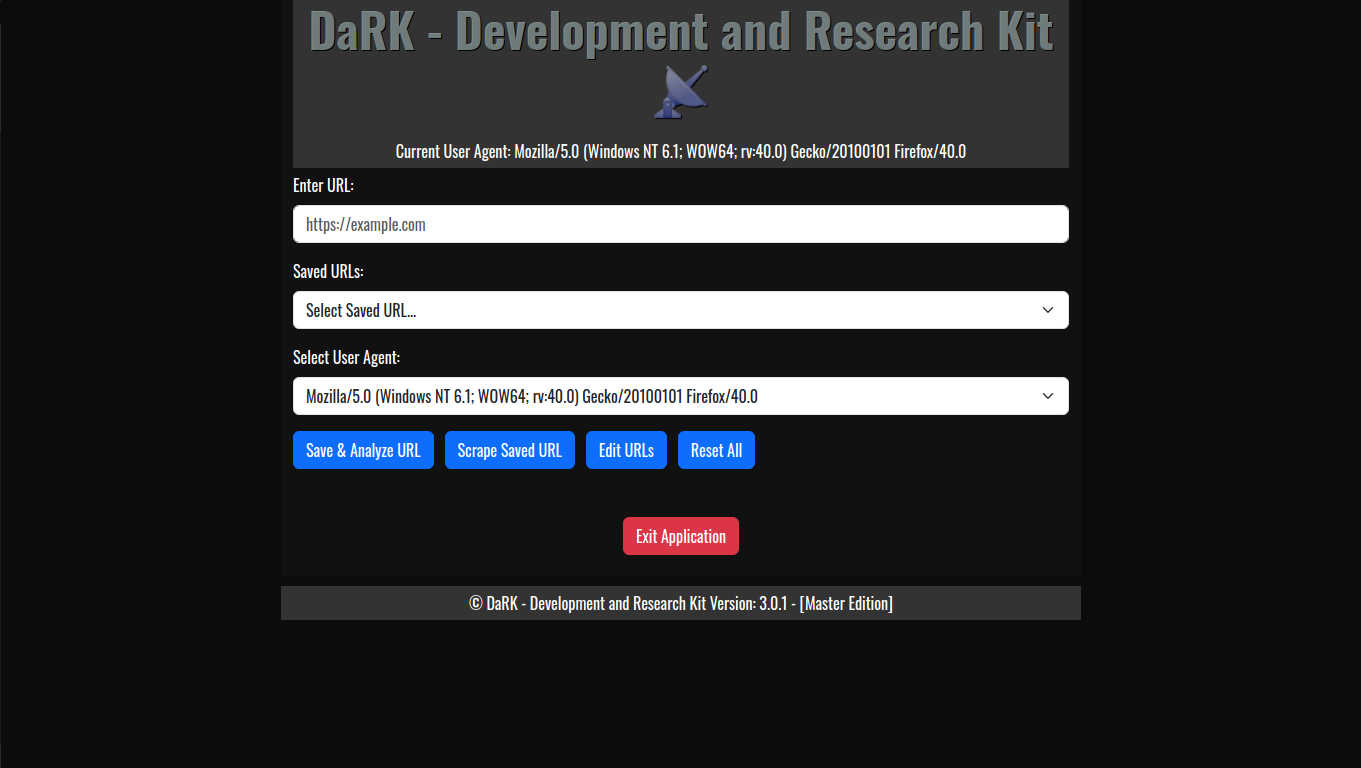
DaRK – Development and Research Kit 3.0 (Master Edition) is an advanced, standalone Python application designed for developers, researchers, and cybersecurity professionals. This tool streamlines the process of web scraping, web page analysis, and HTML code generation, all while integrating features such as anonymous browsing through Tor, automatic user-agent rotation, and a deep scraping mechanism for extracting content from any website.

Key Features and Capabilities

  1. Web Page Analysis:
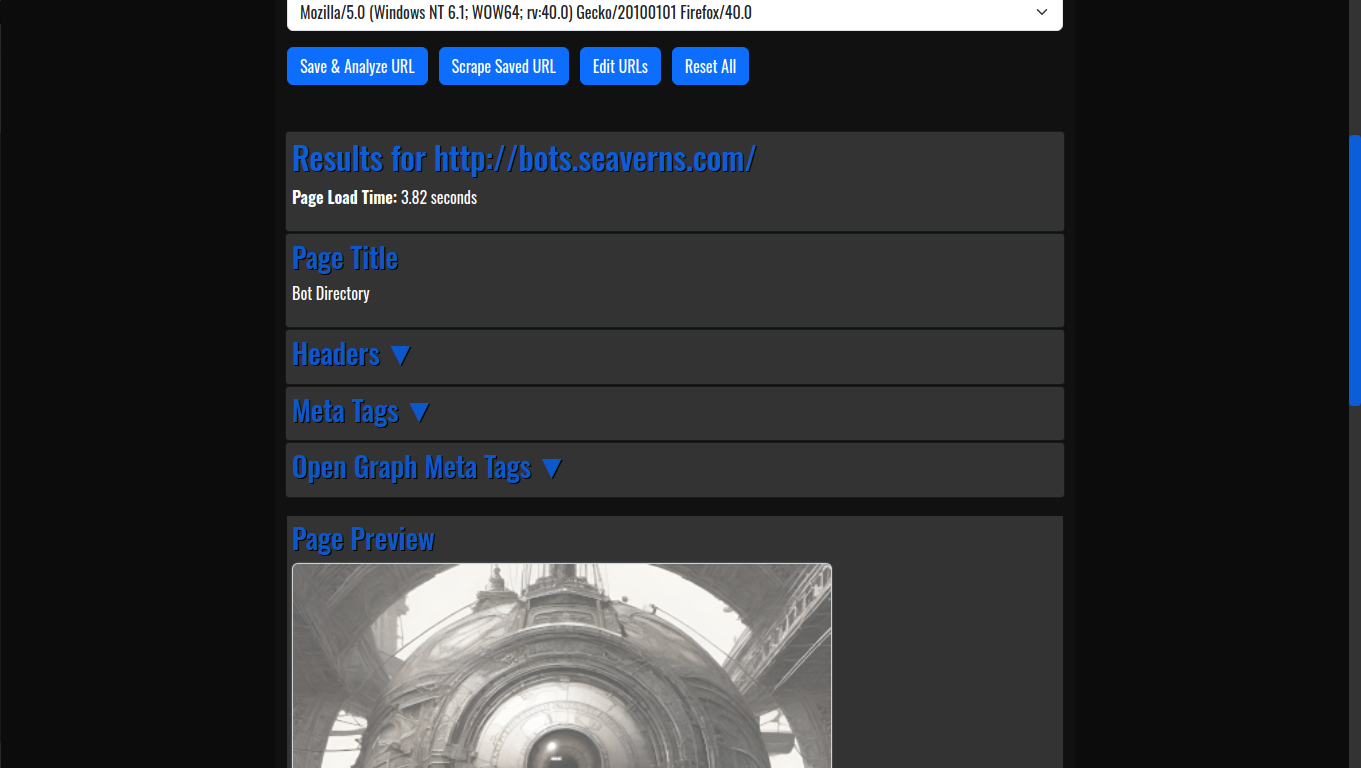
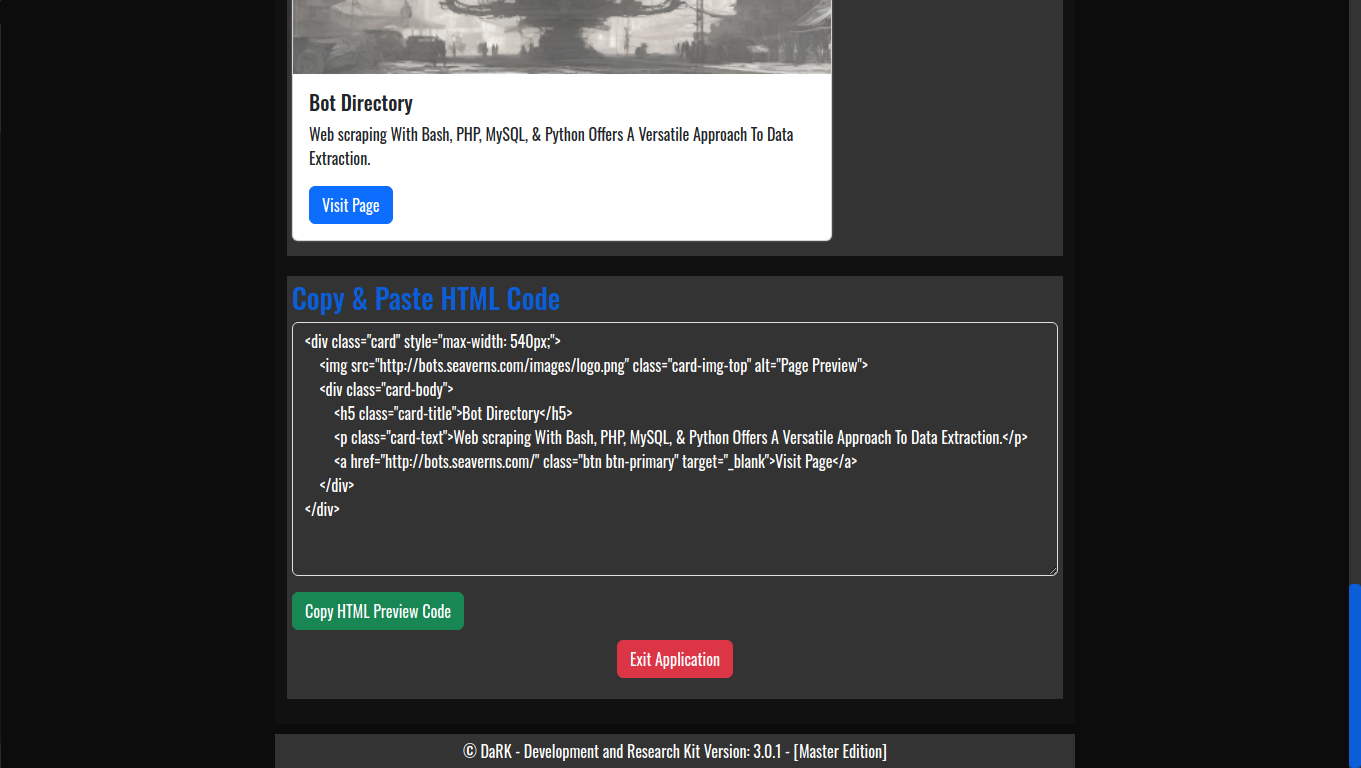
    • HTML Code Previews: The application allows developers to generate live HTML previews of web pages, enabling quick and efficient testing without needing to launch full web browsers or rely on external tools.
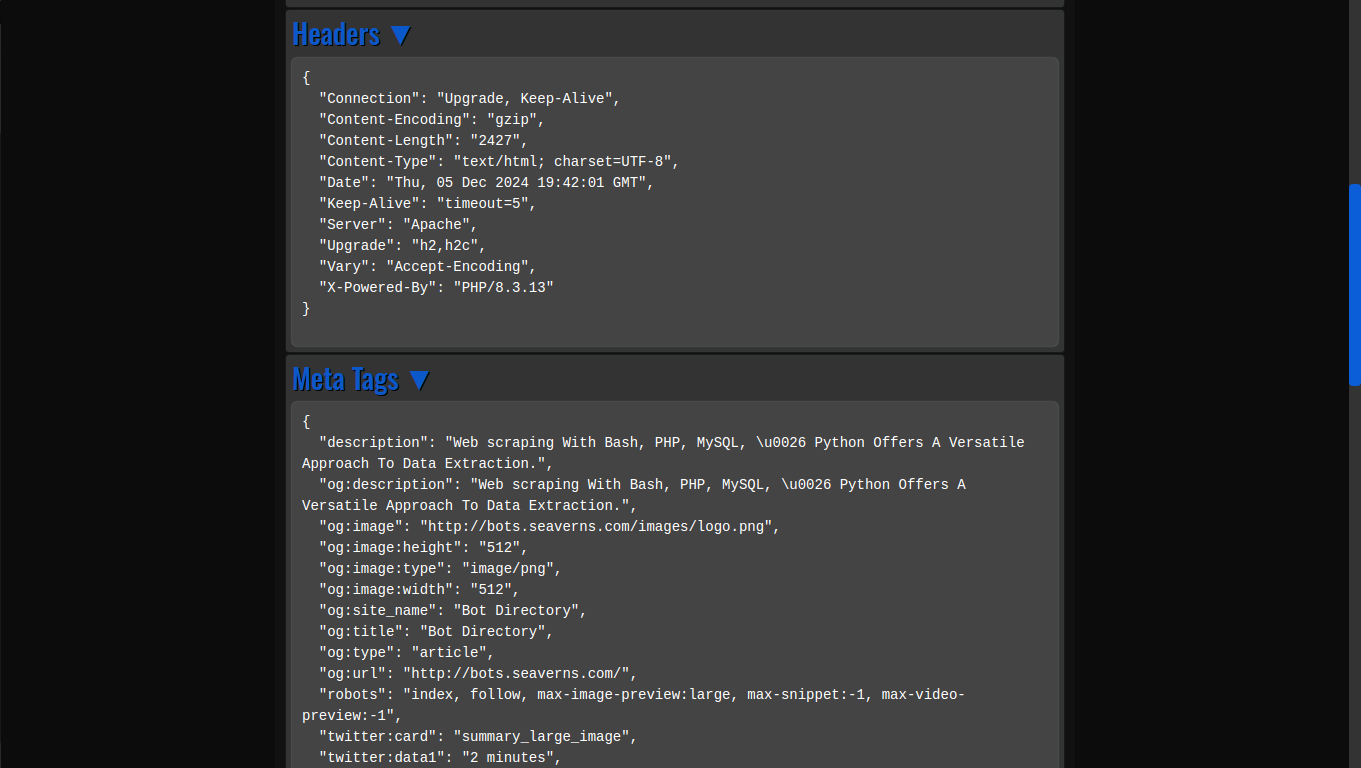
    • View Web Page Headers: By simply entering a URL, users can inspect the HTTP headers returned by the web server, offering insights into server configurations, response times, and more.
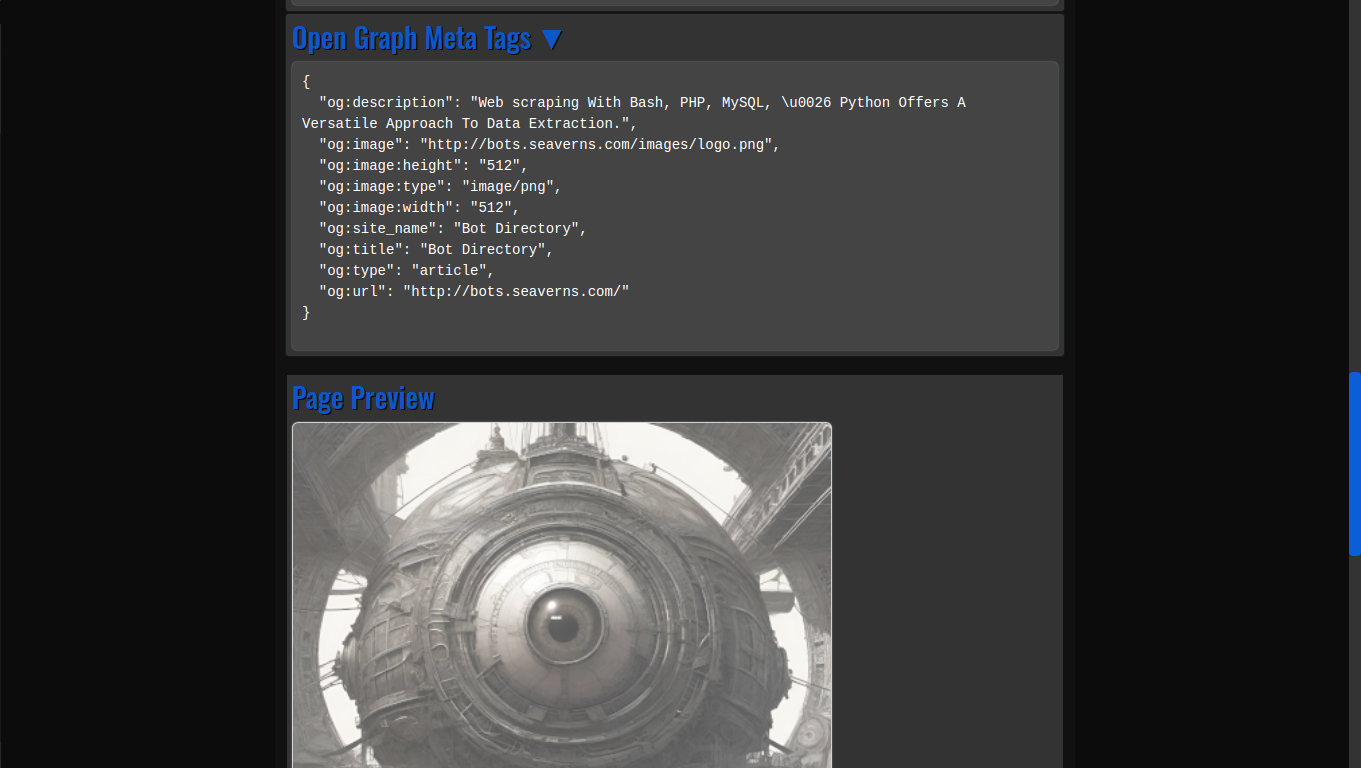
    • Og Meta Tags: Open Graph meta tags, which are crucial for social media previews, are extracted automatically from any URL, providing developers with valuable information about how a webpage will appear when shared on platforms like Facebook and Twitter.
  2. Web Scraping Capabilities:
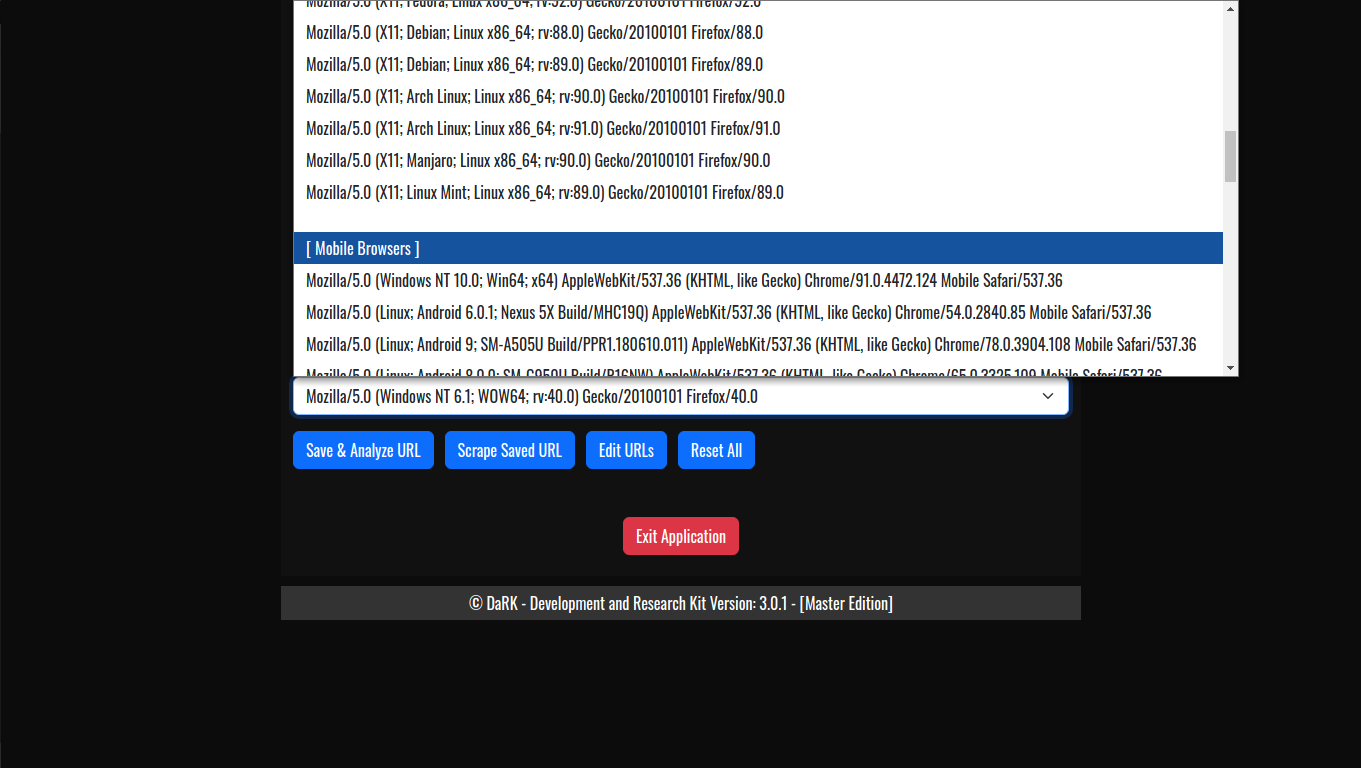
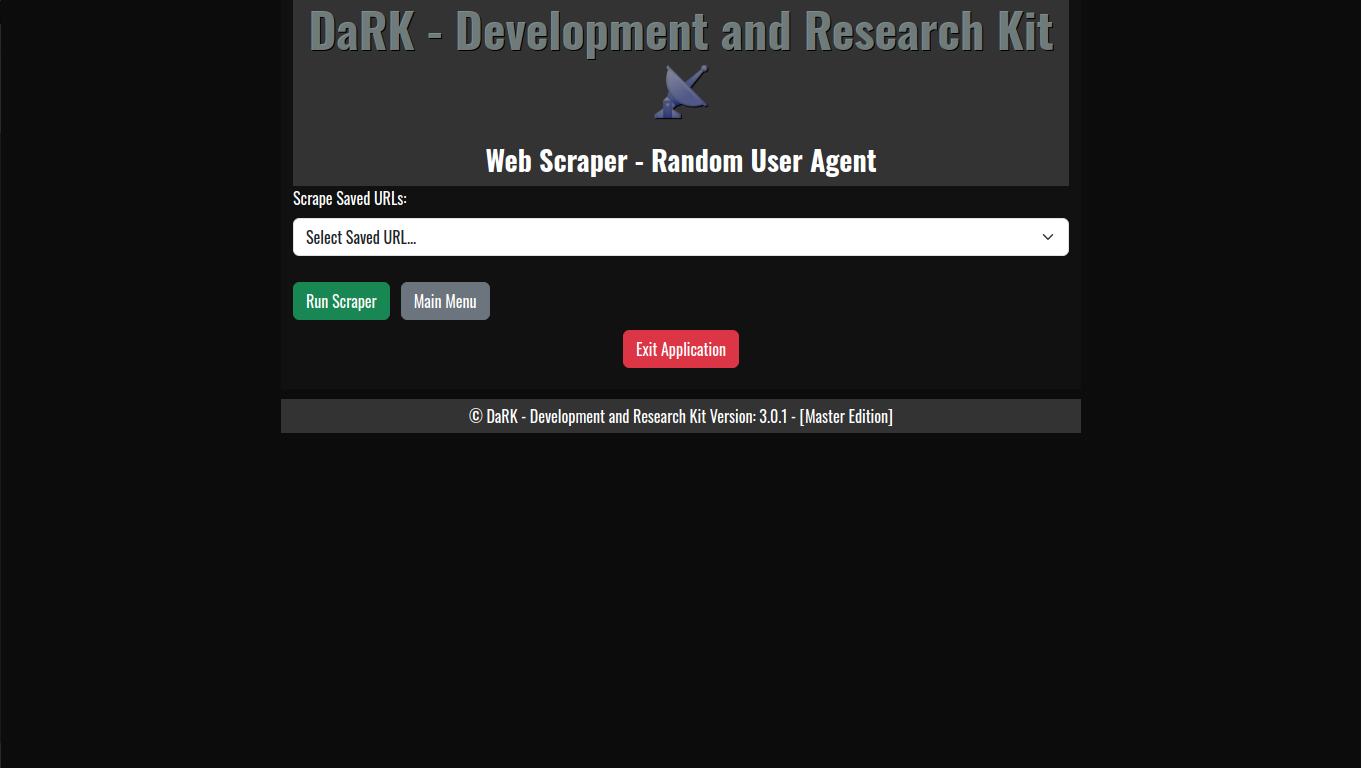
    • Random User-Agent Rotation: The application comes with an extensive list of over 60 user-agents, including popular browsers and bots. This allows for a varied and random selection of user-agent strings for each scraping session, helping to avoid detection and rate-limiting from websites.
    • Deep Scraping: The scraping engine is designed for in-depth content extraction. It is capable of downloading and extracting nearly every file on a website, such as images, JavaScript files, CSS, and documents, making it an essential tool for researchers, web developers, and penetration testers.
  3. Anonymity with Tor:
    • The app routes all HTTP/HTTPS requests through Tor, ensuring anonymity during web scraping and browsing. This is particularly beneficial for scraping data from sites that restrict access based on IP addresses or are behind geo-blocking mechanisms.
    • Tor Integration via torsocks: DaRK leverages the torsocks tool to ensure that all requests made by the application are anonymized, providing an extra layer of privacy for users.
  4. Browser Control:
    • Launch and Close Browser from HTML: Using the Chrome browser, DaRK can launch itself as a web-based application, opening a local instance of the tool’s user interface (UI) in the browser. Once finished, the app automatically closes the browser to conserve system resources, creating a seamless user experience.
  5. SQLite Database for URL Storage:
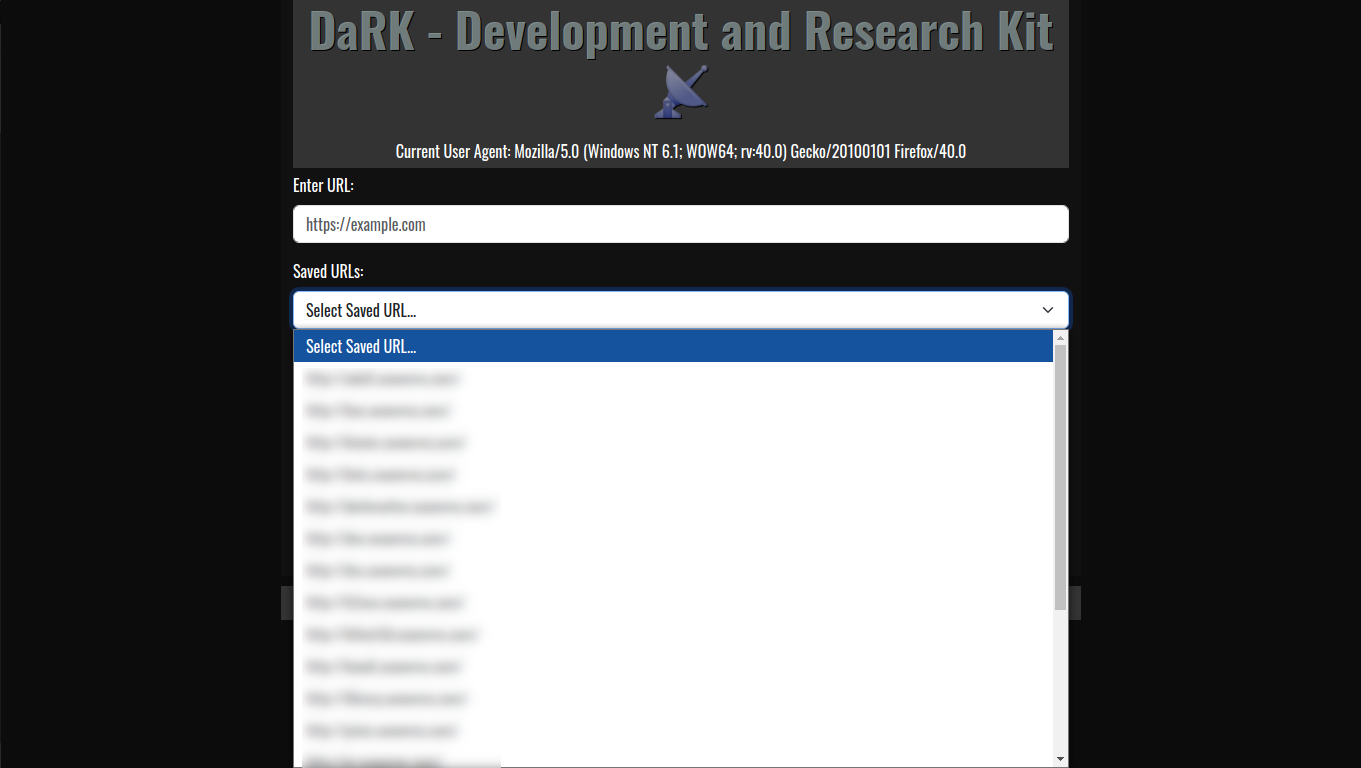
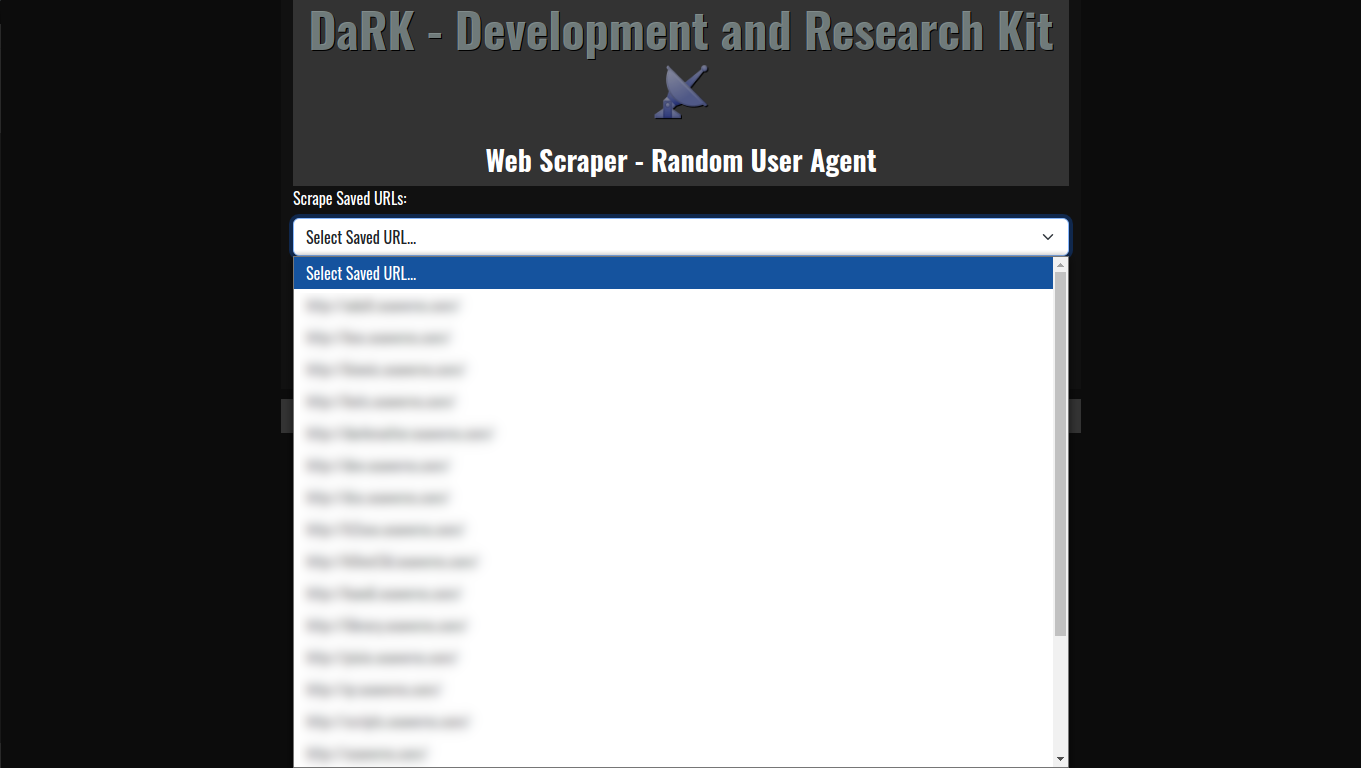
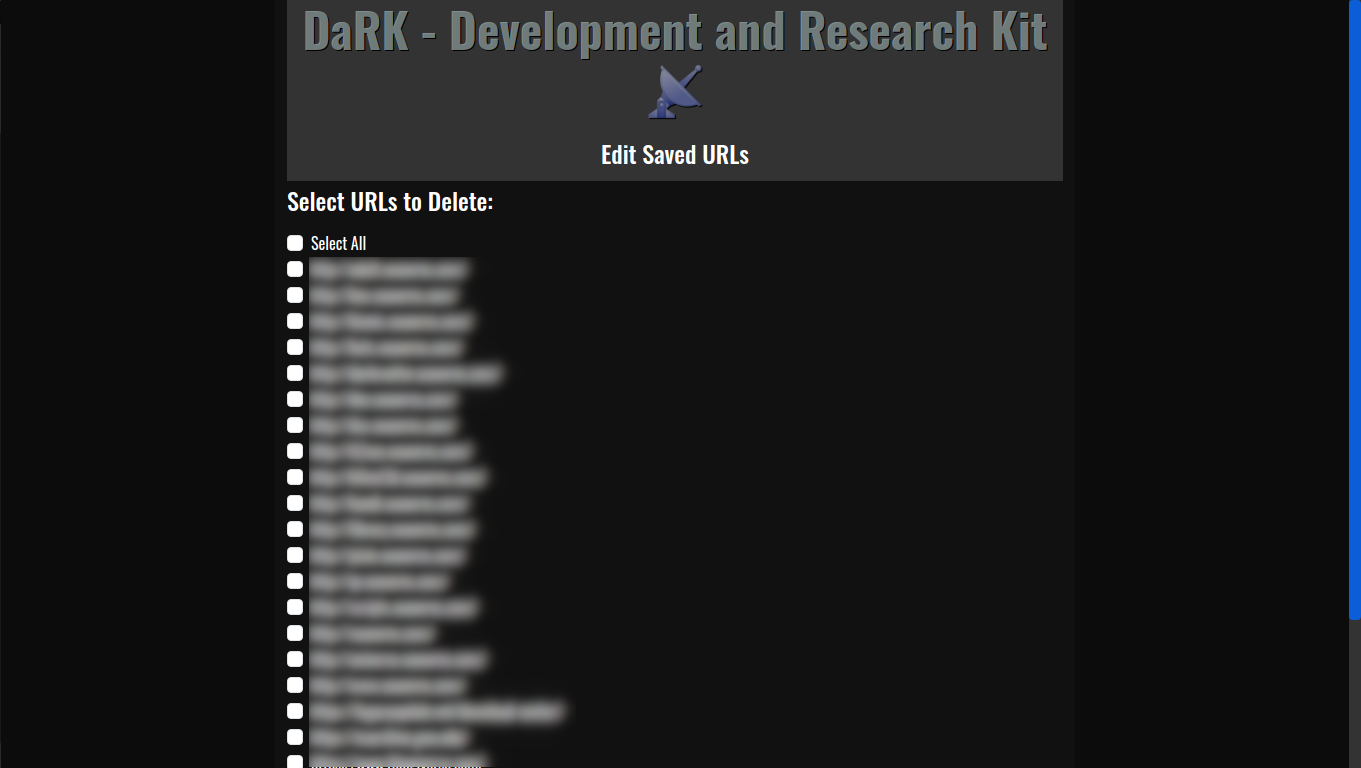
    • Persistent Storage: The tool maintains a local SQLite database where URLs are stored, ensuring that web scraping results can be saved, revisited, and referenced later. The URLs are timestamped, making it easy to track when each site was last accessed.
  6. Flask Web Interface:
    • The application includes a lightweight Flask web server that provides a user-friendly interface for interacting with the app. Users can input URLs, generate previews, and review scraped content all from within a web-based interface.
    • The Flask server runs locally on the user’s machine, ensuring all data stays private and secure.

DaRK Development and Research Kit 3.0 Core Components

  • Tor Integration: The get_tor_session() function configures the requests library to route all traffic through the Tor network using SOCKS5 proxies. This ensures that the user’s browsing and scraping activity remains anonymous.
  • Database Management: The initialize_db() function sets up an SQLite database to store URLs, and save_url() ensures that new URLs are added without duplication. This enables the tool to keep track of visited websites and their metadata.
  • Web Scraping: The scraping process utilizes BeautifulSoup to parse HTML content and extract relevant information from the web pages, such as Og meta tags and headers.
  • Multi-threading: The tool utilizes Python’s Thread and Timer modules to run operations concurrently. This helps in opening the browser while simultaneously executing other tasks, ensuring optimal performance.

Use Case Scenarios

  • Developers: DaRK simplifies the process of generating HTML previews and inspecting headers, making it a valuable tool for web development and testing.
  • Cybersecurity Professionals: The deep scraping feature, along with the random user-agent rotation and Tor integration, makes DaRK an ideal tool for penetration testing and gathering information on potentially malicious or hidden websites.
  • Researchers: DaRK is also an excellent tool for gathering large volumes of data from various websites anonymously, while also ensuring compliance with ethical scraping practices.

DaRK Development and Research Kit 3.0

DaRK – Development and Research Kit 3.0 [Master Edition] is a powerful and versatile tool for anyone needing to interact with the web at a deeper level. From generating HTML previews and inspecting web headers to performing advanced web scraping with enhanced privacy via Tor, DaRK offers an all-in-one solution. The application’s integration with over 60 user agents and its deep scraping capabilities ensure it is both effective and resilient against modern web security mechanisms. Whether you are a developer, researcher, or security professional, DaRK offers the tools you need to work with the web efficiently, securely, and anonymously.

Seaverns Web Development Coding Security Applications and Software Development Bex Severus Galleries Digital Art & Photography

Apache LAMP Install Script

Apache LAMP Install Script

Here’s a full Apache LAMP Install Script for setting up aa LAMP stack on Ubuntu (assuming Linux is excluded from the setup), including the installation and configuration of Apache, PHP, MySQL, and phpMyAdmin. The script also includes basic Apache configurations, enabling modules like mod_rewrite, and configuring phpMyAdmin with secure settings.

Full Apache LAMP Install Script
(for Ubuntu-based systems):


#!/bin/bash

# Update and upgrade the system
sudo apt update -y
sudo apt upgrade -y

# Add PPA for PHP and Apache
echo "Adding PPA repositories for PHP and Apache..."
sudo add-apt-repository ppa:ondrej/php -y
sudo add-apt-repository ppa:ondrej/apache2 -y
sudo apt update -y

# Install Apache2
echo "Installing Apache2..."
sudo apt install apache2 -y

# Install PHP and commonly used extensions
echo "Installing PHP and extensions..."
sudo apt install php libapache2-mod-php php-cli php-mysql php-curl php-gd php-xml php-mbstring php-zip php-soap -y

# Install MySQL Server and secure the installation
echo "Installing MySQL Server..."
sudo apt install mysql-server -y

# Run MySQL Secure Installation
echo "Securing MySQL installation..."
sudo mysql_secure_installation

# Install phpMyAdmin
echo "Installing phpMyAdmin..."
sudo apt install phpmyadmin php-mbstring php-zip php-gd php-json php-curl -y

# Link phpMyAdmin to Apache web directory
echo "Configuring phpMyAdmin..."
sudo ln -s /usr/share/phpmyadmin /var/www/html/phpmyadmin

# Set permissions for phpMyAdmin
echo "Setting permissions for phpMyAdmin..."
sudo chown -R www-data:www-data /usr/share/phpmyadmin
sudo chmod -R 755 /usr/share/phpmyadmin

# Enable Apache modules
echo "Enabling Apache modules..."
sudo a2enmod rewrite
sudo a2enmod headers
sudo a2enmod ssl

# Set up basic Apache configurations (security headers, etc.)
echo "Configuring Apache settings..."
echo '
<IfModule mod_headers.c>
Header always set X-Content-Type-Options "nosniff"
Header always set X-XSS-Protection "1; mode=block"
Header always set X-Frame-Options "SAMEORIGIN"
Header always set Referrer-Policy "no-referrer"
</IfModule>

<IfModule mod_rewrite.c>
RewriteEngine On
RewriteCond %{REQUEST_FILENAME} !-f
RewriteCond %{REQUEST_FILENAME} !-d
RewriteRule ^(.+)$ /index.php [QSA,L]
</IfModule>
' | sudo tee /etc/apache2/conf-available/security_headers.conf > /dev/null

# Enable custom security headers configuration
sudo a2enconf security_headers

# Enable and restart Apache and MySQL services
echo "Restarting Apache and MySQL..."
sudo systemctl restart apache2
sudo systemctl restart mysql

# Set MySQL to start on boot
echo "Ensuring MySQL starts on boot..."
sudo systemctl enable mysql

# Test Apache and MySQL installation
echo "Testing Apache and MySQL..."
sudo systemctl status apache2
sudo systemctl status mysql

# Configure phpMyAdmin with MySQL (Optional, run if needed)
echo "Configuring phpMyAdmin to work with MySQL..."
# Create a user for phpMyAdmin in MySQL
sudo mysql -u root -p -e "CREATE USER 'phpmyadmin'@'localhost' IDENTIFIED BY 'phpmyadminpassword';"
sudo mysql -u root -p -e "GRANT ALL PRIVILEGES ON *.* TO 'phpmyadmin'@'localhost' WITH GRANT OPTION; FLUSH PRIVILEGES;"

echo "LAMP stack installation complete!"


Breakdown of the Apache LAMP Install Script:

  1. System Updates:
    • Updates the package list and upgrades the system to ensure it is up-to-date.
  2. PPA for PHP and Apache:
    • Adds the PPA repositories for the latest PHP and Apache versions (ppa:ondrej/php and ppa:ondrej/apache2).
  3. Apache2 Installation:
    • Installs the Apache web server.
  4. PHP Installation:
    • Installs PHP along with some common PHP extensions (like MySQL, CURL, GD, MBString, XML, and SOAP).
  5. MySQL Installation and Security Setup:
    • Installs MySQL and runs the mysql_secure_installation script to secure the MySQL installation (you’ll need to set a root password and answer security questions).
  6. phpMyAdmin Installation:
    • Installs phpMyAdmin and relevant PHP extensions. It then configures it to be accessible via the Apache web server.
  7. Enabling Apache Modules:
    • Enables the mod_rewrite, mod_headers, and mod_ssl modules for security and functionality.
  8. Apache Basic Configuration:
    • Sets up HTTP security headers and enables the mod_rewrite rule to handle URL rewriting in Apache.
  9. Restart Services:
    • Restarts Apache and MySQL services to apply changes.
  10. Test:
    • Verifies that Apache and MySQL services are running properly.
  11. MySQL User for phpMyAdmin (Optional):
    • Creates a user for phpMyAdmin in MySQL with the necessary privileges. You can customize the password and user details.

Additional Notes:

  • MySQL Secure Installation: This script will invoke the mysql_secure_installation command during execution. You will be prompted to configure your MySQL root password and set other security options interactively.
  • phpMyAdmin: By default, phpMyAdmin will be accessible at http://your-server-ip/phpmyadmin after running this script. Make sure to adjust any security settings (e.g., .htaccess protection) for production environments.
  • Permissions: The script ensures that phpMyAdmin has proper file permissions to function correctly under the web server’s user (www-data).
Seaverns Web Development Coding Security Applications and Software Development Bex Severus Galleries Digital Art & Photography

PHP vs Python The Battle of the Builds

PHP vs Python The Battle of the Builds

Programming, much like keeping your house clean, is about organization, maintenance, and not leaving a trail of chaos for someone else (or yourself) to trip over later. Enter the two heavyweights of modern web and software development: PHP and Python. Each language has its quirks, much like deciding between cleaning with a broom or a vacuum. Let’s dive in and see who wins the “PHP vs Python The Battle of the Builds” – though let’s face it, if you’re asking, you’re probably more interested in avoiding the mess altogether.

The Basics: Tools for Every Job

PHP is the go-to for web development, especially if your house is made of WordPress, Joomla, or Drupal. Think of PHP as the mop specifically designed for one type of floor: the web. Python, on the other hand, is the multi-purpose tool, like that fancy vacuum cleaner that also dusts, washes, and maybe makes coffee. Its versatility spans web apps, data science, machine learning, and more.

That said, PHP is laser-focused, making it excellent for building fast, robust websites. Python, while broader in its applications, shines with its readability and simplicity. If coding were housekeeping, Python would be the IKEA furniture manual of programming—clear, minimalist, and designed for people who “hate clutter.” PHP? It’s the toolbox in your garage: not always pretty, but reliable for the job.

Power: Cleaning Tools at Full Blast

Python brings raw power to diverse fields. It’s the Tesla of programming languages—efficient, quiet, and designed for the future. Machine learning? No problem. Data scraping? Easy. Python doesn’t just clean the house; it remodels it into a smart home that does the chores for you.

PHP, on the other hand, is your reliable, no-frills dishwasher. Its power lies in doing one thing very well: delivering web pages and managing databases. PHP doesn’t care about being flashy—it just gets the job done and does it fast. It’s not about showing off; it’s about making sure dinner is served without a mountain of dishes piling up.

Security: Keeping the House Safe

Python emphasizes security through simplicity. Less clutter in the code means fewer places for bugs and vulnerabilities to hide. It’s like installing a home security system: straightforward, effective, and easy to manage.

PHP, historically criticized for security vulnerabilities, has cleaned up its act. With modern versions, it’s added features to protect against SQL injection, XSS attacks, and more. However, like locking your doors at night, security in PHP depends on how diligent you are. Lazy coding (or housekeeping) will always attract intruders.

PHP vs Python The Battle of the Builds
Why Both Matter

The necessity for both PHP and Python lies in their domains. PHP powers over 75% of the web. Meanwhile, Python is the brain behind AI, data analysis, and automation. Both are indispensable tools in the coder’s arsenal—assuming, of course, the coder can keep their workspace clean and organized.

So, if you’re avoiding coding because it seems harder than picking up your socks, remember: coding, like housekeeping, is only hard if you’re a “lazy slob.” But hey, if you can’t keep your room clean, maybe PHP or Python isn’t the battle for you.

BootyBot Adult AI Art Images

The Rise of AI-Generated Spam on Facebook

The Rise of AI-Generated Spam on Facebook: Current Issues and Trends

Over the past few days, Facebook has faced a notable increase in spam activity driven by AI-generated content. These posts, often featuring surreal or hyper-realistic images, are part of a coordinated effort by spammers to exploit the platform’s algorithms for financial gain. Here’s a breakdown of the situation and its implications:


What’s Happening?

  1. AI-Generated Images: Spam pages are flooding Facebook with AI-crafted images, ranging from bizarre art to visually stunning but nonsensical content. A notable example includes viral images of statues made from unusual materials, such as “Jesus made of shrimp”​.
  2. Amplification by Facebook Algorithms: These posts gain traction due to Facebook’s “Suggested for You” feature, which promotes posts based on engagement patterns rather than user preferences. When users interact with these posts—even unintentionally—the algorithm further boosts their visibility​.
  3. Monetary Motives: Many spam pages link to external ad-heavy or dropshipping sites in the comments, monetizing the engagement from these viral posts. Some pages even invest in Facebook ads to amplify their reach, complicating the platform’s efforts to detect and mitigate such content​.
  4. Global Scale: The spam campaigns are widespread, with some pages managing hundreds of millions of interactions collectively. This level of engagement highlights the challenge of moderating such content at scale​.

Facebook’s Response

Meta (Facebook’s parent company) has acknowledged the issue and pledged to improve transparency by labeling AI-generated content. This move comes after similar concerns about misinformation and malicious AI use on the platform. However, critics argue that Facebook’s reliance on automated moderation tools may not be enough to counter the evolving tactics of spammers​.


Broader Implications

  • Erosion of Trust: As AI-generated spam becomes more prevalent, users may find it increasingly difficult to discern authentic content from manipulated posts.
  • Algorithmic Loopholes: The incident underscores the potential vulnerabilities in content recommendation systems, which can inadvertently amplify harmful or deceptive material.
  • Economic and Security Risks: The monetization of these schemes often involves redirecting users to risky sites, posing both financial and cybersecurity threats​.

The current surge in spam ads on Facebook is primarily linked to bot farms and automation tools that exploit the platform for fake engagement. These bots are not only designed to spread irrelevant ads but also to generate fake clicks, skew ad analytics, and disrupt genuine user experiences. Recent incidents indicate that these ad bots are part of larger operations targeting platforms like Facebook, Instagram, and others.

Two categories of bots dominate Facebook spamming:

  1. Automated Bots: These are simpler systems designed to mass-produce accounts and post repetitive ads. Facebook’s AI can often detect and block these quickly, but the sheer volume still creates noise.
  2. Manual or Sophisticated Bots: These accounts mimic real user behavior, making them harder to detect. They are often used for more strategic ad campaigns, spreading disinformation or promoting scams.

Historically, operations like Boostgram and Instant-Fans.com have been known to utilize such bot networks, targeting users with fake engagement across multiple platforms, including Facebook. Meta (Facebook’s parent company) regularly takes legal action against such entities, but many adapt and persist​.

Additionally, bot farms often consist of thousands of fake accounts designed to interact with ads, affecting advertiser metrics and budgets. Facebook reports significant efforts in removing fake accounts, claiming millions blocked quarterly, but challenges remain with sophisticated bots bypassing detection​.

If you’re seeing increased spam, it might be part of a broader effort by these bot operators to exploit Facebook’s ad systems or test new evasion techniques. Users and advertisers are encouraged to report suspicious activity and remain cautious about ad engagement.


Bot farms are large-scale operations leveraging networks of automated programs to execute repetitive digital tasks for malicious purposes. These include manipulating financial markets, inflating ad metrics, and engaging in cyber fraud. Bot farms often consist of numerous servers, diverse IP address pools, and highly advanced scripts to evade detection, allowing them to operate at scale and with precision.

In financial markets, bots can exacerbate volatility by executing coordinated trades, such as artificial inflation schemes (pump-and-dump) or high-frequency trades to disrupt normal market behavior. These actions mislead investors, distort pricing mechanisms, and can destabilize entire markets, especially during periods of economic uncertainty. Such disruptions are not limited to legitimate trading but also extend to platforms reliant on algorithmic responses, creating widespread ripple effects.

Economically, these bot-driven disruptions cause substantial financial losses, costing industries billions annually. For example, fraudulent advertising metrics waste business resources while masking true engagement. High-profile operations like Methbot exploited hundreds of thousands of fake IP addresses, generating fraudulent ad revenue on a massive scale and undermining trust in digital advertising ecosystems.

Efforts to mitigate the impact of bot farms include deploying machine learning models to identify anomalous behavior, monitoring for IP spoofing, and implementing stronger authentication methods. However, as bot technology continues to evolve, combating their influence requires ongoing innovation, stricter regulations, and global collaboration to protect financial and digital ecosystems from systemic risks.


Current Events and Developments

  1. Meta’s AI Transparency Push: Meta has committed to labeling AI-generated images across its platforms, aiming to curtail the spread of manipulated content and improve user awareness​.
  2. Increased Monitoring Efforts: Researchers and watchdogs are ramping up analyses of such campaigns. For instance, studies by Stanford and Georgetown have documented hundreds of spam pages exploiting Facebook’s engagement-driven algorithms​.
  3. User Awareness Campaigns: Public advisories are being issued, encouraging users to avoid interacting with suspicious posts and report them to Facebook for moderation.

What You Can Do

  • Avoid Interactions: Refrain from liking, commenting, or sharing suspicious content.
  • Report Spam: Use Facebook’s reporting tools to flag AI-generated spam posts.
  • Stay Informed: Regularly update your knowledge of online scams and be cautious of external links, especially those posted in comments.

By understanding the tactics and implications of these campaigns, users can help reduce their impact while pushing platforms like Facebook to strengthen their moderation policies.

Seaverns Web Development Coding Security Applications and Software Development Bex Severus Galleries Digital Art & Photography

Doc.R Log Viewer 1.0

Discover the Power of Doc.R Log Viewer 1.0: Your Go-To Tool for Large Log Files

Download:

Title: Doc.R Log Viewer 1.0
Author: K0NxT3D
File: DocR.zip
Size: 2.7kb

Navigating through extensive log files can be a daunting task. Fortunately, Doc.R Log Viewer is here to revolutionize your log-reading experience. Tailored for handling large files, Doc.R offers a lightweight and efficient solution that enables users to find critical information without the hassle.

Streamlined Log Reading

Doc.R Log Viewer is designed specifically for reading large log files, allowing users to sift through mountains of data effortlessly. Unlike traditional text editors, it doesn’t modify your log files but enhances your ability to locate specific entries quickly. This focus on readability and speed makes Doc.R an essential tool for anyone dealing with logs generated by software applications or systems.

Versatile File Type Support

One of Doc.R’s standout features is its capability to read various file types. Whether you’re working with .log files or other formats, Doc.R adapts to your needs. This flexibility is invaluable for professionals who frequently switch between different software, including Microsoft Word, Excel, and LibreOffice, ensuring seamless integration into your workflow.

Built on Python for Performance

Utilizing Python’s powerful libraries, Doc.R achieves impressive performance without sacrificing user experience. The application uses the curses library to create a terminal interface that makes navigating through logs intuitive and responsive. Users can easily scroll, load more lines, and customize their viewing preferences, all while enjoying a clean and elegant layout.

Elevate Your Workflow

Doc.R Log Viewer is more than just a log-reading tool; it’s a game-changer for productivity.
With its fast performance, multi-format support, and user-friendly design, Doc.R empowers users to tackle large logs with confidence.
Experience the difference today—make Doc.R your trusted partner in log analysis.


Python is a versatile and powerful language that lets you work quickly and integrate systems more effectively. Learn how to get started, download the latest version, access documentation, find jobs, and join the Python community.

Learn Python!

Kandi Web Crawler PHP Web Scraping Scripts Seaverns Web Development Coding Security Applications and Software Development Bex Severus Galleries Digital Art & Photography

PHP Web Scraping Scripts

PHP Web Scraping Scripts:

Extracting Vast Data Types Efficiently

In today’s digital world, PHP web scraping scripts have become a powerful tool for extracting and organizing data from websites. PHP, known for its versatility and ease of use, allows developers to build efficient web scraping solutions that can handle a vast array of data types. Whether you’re looking to scrape text, images, videos, or product details, PHP-based scrapers can handle the task.

Diverse Data Types in Web Scraping

With PHP web scraping scripts, you can scrape various types of data, including:

  • Text: Collect articles, blog posts, reviews, and product descriptions.
  • Images and Videos: Extract visual content like photos, memes, icons, and embedded videos.
  • Structured Data: Gather tables, charts, and metadata such as HTML tags, JSON, and XML.
  • E-commerce Data: Scrape prices, product details, stock availability, and customer reviews from online stores.

This makes PHP a go-to choice for developers looking to extract a wide range of data types efficiently.

Current Technologies and Trends in PHP Web Scraping

Modern PHP web scraping scripts use libraries like cURL and Goutte for HTTP requests and DOMDocument or XPath for navigating HTML structures. In addition, headless browsers like Puppeteer and PhantomJS are being used in conjunction with PHP to render JavaScript-heavy websites, allowing for more comprehensive scraping of dynamic content.

Another trend is the rise of AI-enhanced scrapers, where machine learning algorithms are integrated to improve data accuracy and reduce errors. With the increasing need for automation and big data processing, PHP web scraping is evolving rapidly, offering solutions that are scalable and adaptable.

Harness the power of PHP web scraping to tap into the vast world of online data, and stay ahead in this ever-growing digital landscape.

Download The Latest Free Version Of Kandi Web Scraper Here.

More About Kandi Web Scraper Here